
There was a time when taking 4,000 family photos would have required several cupboards full of photo albums, a small fortune in developing costs and a level of commitment normally reserved for professional photographers.
Now we can achieve it before a child reaches primary school.
Your camera roll probably contains birthdays, holidays, first days of school, Christmas mornings and some genuinely lovely everyday moments. It probably also contains 14 almost identical photos of the dog, screenshots of things you meant to buy, blurry pictures taken by a toddler and a photo of a parking space number from 2021.
The problem isn’t that we’re taking too many photos. It’s that the good ones are becoming increasingly difficult to find amongst everything else.
So, if opening your camera roll and seeing 4,000, 10,000 or a frankly alarming number of photos makes you immediately close it again, here’s how to get things under control without sacrificing an entire weekend.
Do not sit down on Saturday morning and announce that you’re going to organise your entire photo library.
By lunchtime you’ll be looking at photographs from a holiday in 2019, wondering why you took 37 pictures of the same sunset and getting absolutely nothing done.
Instead, work backwards in small chunks. Set a timer for five or ten minutes and start with your most recent photos. Delete the obvious rubbish, save the good ones and stop when the timer finishes.
Do another five minutes next week or next month.
A tiny bit of maintenance regularly is much easier than waiting until your camera roll reaches five figures and begins to feel like a second job.
You don’t need to make emotional decisions about treasured family memories straight away. Start with the photos that require approximately zero thought.
Look for:
If you have an iPhone running a recent version of iOS, Photos can identify duplicate photos and videos and put them together in the Duplicates section, where you can merge them. Google Photos also offers tools to help manage your library and storage.
One word of caution before beginning a major deletion session: make sure you understand how your photos are being backed up.
If you use iCloud Photos, for example, deleting a photo on one synced device also deletes it from other devices using iCloud Photos. Apple keeps deleted items in Recently Deleted for 30 days, but it’s still worth checking your settings before enthusiastically deleting 2018.
Here’s possibly the easiest photo organisation system of all.
Whenever you take a photo you really love, favourite it.
Not “that’s quite nice”.
Not “I might need that picture of the boiler serial number again”.
The ones you would genuinely be upset to lose.
You can also go through your existing camera roll and favourite pictures as you find them. Eventually, instead of searching through thousands of images when somebody asks for a nice picture of the family, you’ll have a much smaller collection ready to go.
Albums are useful, but only if you don’t create so many that finding the right album becomes another organisational problem.
Keep things broad and useful, for example:
Apple Photos and Google Photos both allow you to organise pictures into albums. The important bit isn’t which system you use. It’s choosing one simple enough that you’ll continue using it.
A “Photos to print” album is particularly useful. Every time you spot an image that deserves more than an occasional appearance during a frantic camera roll search, add it.
More on that shortly. You can probably see where we’re going with this.
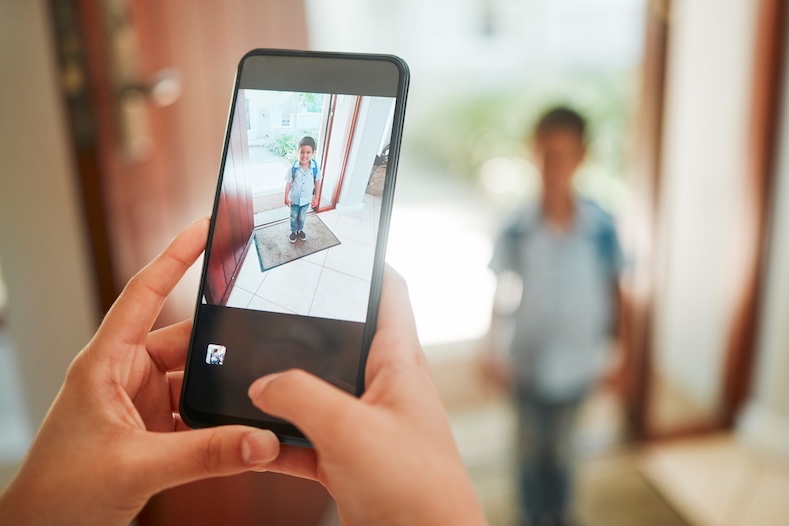


Pick a time you’re likely to remember.
The last Sunday of every month. Payday. The first evening of a new month. Whenever you’ve got five minutes waiting for someone who’s said they’re “just leaving” but clearly hasn’t left yet.
Go through the previous month’s photos and:
Five minutes isn’t going to transform a 20,000-photo library overnight.
But it can stop the problem getting worse, which is an excellent start.
You don’t always need to organise every photograph manually.
Modern photo apps are surprisingly good at finding things for you. Apple Photos can search using things such as people, places and objects, and Google Photos offers similar search tools.
So rather than scrolling back three years looking for that brilliant beach photo, try searching for the person, location or subject instead.
This is particularly handy when your child urgently needs “a picture of us at the beach” for school tomorrow morning, which they have naturally remembered to tell you about at 8.42pm.
Technology has its moments.
For many of us, screenshots are where camera rolls really start to unravel.
Recipes. Maps. Booking confirmations. Clothes. Memes. School messages. Haircuts you’re definitely going to ask for next time. A restaurant somebody recommended.
They’re useful when you take them. Six months later, less so.
Make screenshots part of your regular clear-out. If the information is still useful, save it somewhere more appropriate. If it isn’t, delete it.
Organising your photographs is useful. Protecting them is more important.
Cloud services such as iCloud Photos and Google Photos can automatically sync or back up your images, depending on the service and settings you’re using. It’s worth checking yours rather than simply assuming everything is safely “in the cloud somewhere”.
Apple also recommends keeping backup copies of your photo library even when using iCloud Photos.
You could keep another copy on a computer or external drive, particularly for photographs you would hate to lose.
Because phones get lost. Accounts get forgotten. Technology occasionally decides to have a moment.
The photo of your daughter’s first day at school deserves a slightly more robust long-term plan than “I’m pretty sure it’s backed up”.



Family photography has changed.
We don’t take one photograph anymore. We take 23.
Someone blinks. Someone looks away. The dog moves. Dad’s eyes are closed. Mum is talking. A child decides that this exact moment is the ideal opportunity to lick their sibling.
Then, finally, photo number 19 works.
Keep number 19.
You don’t necessarily need the other 22.
Occasionally swiping through a burst of near-identical images and choosing the best one can dramatically reduce your camera roll without losing any actual memories.
Here’s where sorting your photos becomes a little more enjoyable.
At the end of each month, choose your favourite five photographs.
They don’t have to be significant milestones. In fact, some of the photographs you’ll value most later probably won’t be.
Your five might include:
At the end of the year, you’ll have around 60 photographs that tell the story of what your family actually looked like that year.
Not just the weddings, holidays and Christmases.
The normal bits too.
This is the bit we’re obviously going to say.
But we’re saying it because it’s true.
There isn’t much point having 4,000 photographs if the best ones spend their entire lives sandwiched between a screenshot of a takeaway order and a blurry picture of your thumb.
Choose some photographs that deserve to exist outside your phone.
Maybe it’s the brilliant family photograph where everyone is miraculously looking in roughly the same direction. Maybe it’s a completely unplanned picture of your kids together. Maybe it’s your parents with their grandchildren.
There doesn’t need to be an important occasion attached to it.
At Print Your Memory, we print your photographs onto aluminium metal prints in a range of shapes and sizes, ready to actually live in your home rather than disappear into your camera roll.
And if choosing from 4,000 photos still sounds impossible, start with that “Photos to print” album.
Every time you come across one that makes you stop scrolling, put it in there.
Eventually you’ll have your shortlist.
You don’t need a beautifully organised photo library with every image categorised by year, child, location, event and prevailing weather conditions.
You just need to make the photographs you care about easier to find.
Delete a little rubbish. Favourite the good ones. Create a few useful albums. Check your backups. Spend five minutes on it once a month.
And every now and then, take one of those photographs out of the digital pile altogether and put it somewhere you can actually see it.
Because the whole reason we take thousands of family photos is to remember this stuff.
It would be a shame if we never looked at them again.